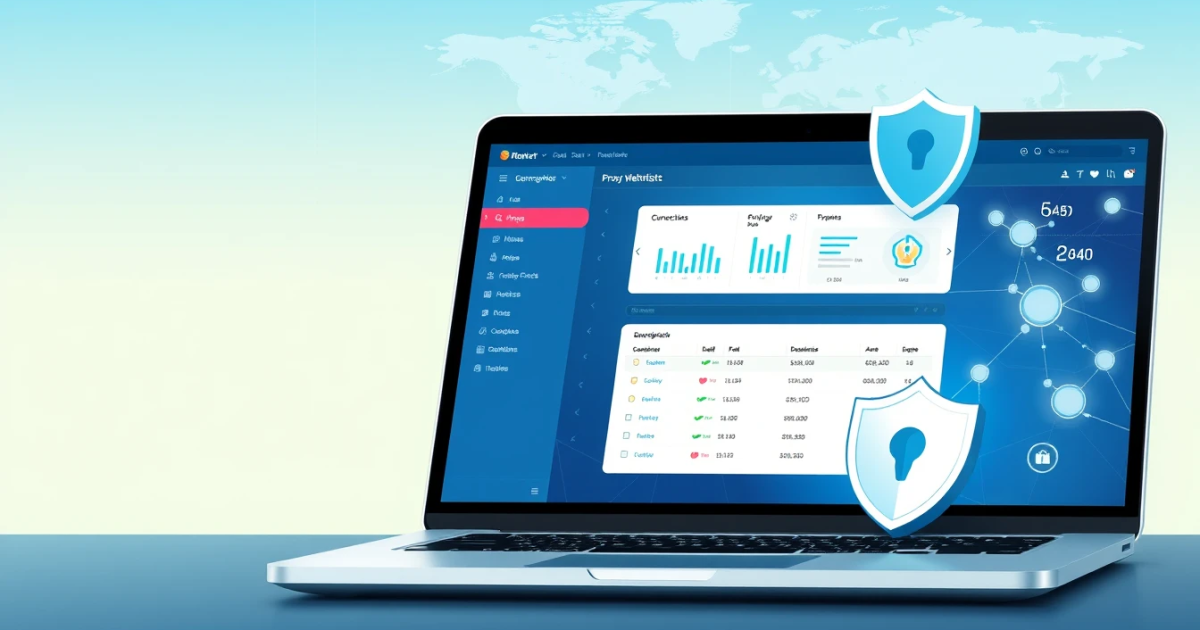
Proxy whitelisting is a security measure that allows users to specify which IP addresses are permitted to access their network or resources. By using this method, organizations can limit exposure to unwanted traffic and threats. This article will guide you through the concept of proxy whitelisting, how to implement it, and its importance in safeguarding web interactions.
Understanding Proxy Whitelisting
Proxy whitelisting involves permitting specific IP addresses to access your proxies or systems while blocking all others. This is crucial for maintaining security and controlling access. It differentiates trusted users from potentially harmful traffic, ensuring that only authorized users are interacting with your systems through a proxy.
How to Set Up Proxy Whitelisting
Setting up proxy whitelisting requires a systematic approach. Follow these steps to configure a basic setup:
- Access Your Proxy Configuration: Log in to the dashboard of your proxy provider.
- Locate Whitelisting Options: Find the security or IP management section of your proxy service.
- Add IP Addresses: Enter the specific IP addresses that should be allowed ACCESS to your proxies.
- Save Changes: Apply the changes and ensure they are saved properly across all relevant configurations.
- Test Your Configuration: Validate that your whitelisting has been successful by attempting access from an allowed IP and a blocked one.
- Monitor Access: Regularly check the logs and the configuration to ensure there are no unexpected access attempts.
Confirming that your setup works includes trying to access from an approved IP and a restricted one. If the blocked requests return an unauthorized error, your configuration is successful.
Troubleshooting Common Errors in Proxy Whitelisting
When you encounter problems with proxy whitelisting, understanding the error messages can help you address the underlying causes. Here’s what to look for:
Error Messages: Errors like “Access Denied” or connection failures often signal whitelisting issues.
Common Causes:
- Incorrect IP Addresses: The IP listed might not match the user's current IP, blocking their access.
- Configuration Errors: Misconfigurations during setup can inadvertently restrict safe IP addresses.
- Network Changes: Changes in network (dynamic IPs) could result in previously whitelisted IPs being rejected.
Fixes:
- Verify the IP against what it should be; ensure your users are on a static IP setup or update as necessary.
- Recheck your configurations for syntax errors in your whitelisting permissions.
- Encourage users to notify changes in their network to update the whitelist promptly.
Comparing Proxy Types for Whitelisting
When purchasing proxies and considering whitelisting, it’s essential to know which types best suit your needs.
| Proxy Type | Cost | Speed | Block Risk | Session Control | Winner for Whitelisting? |
|---|---|---|---|---|---|
| Residential Proxies | $0.80 to $0.20/GB | Variable based on connection | Lower due to real IPs | Available | Yes |
| Datacenter Proxies | $0.50/GB | High | Medium | Limited | No |
| Mobile Proxies | $2.00/GB | Fast | Low | Available | Yes |
| ISP Proxies | $2.25 per proxy | High | Low | Non-dynamic | Yes |
The decision largely depends on cost-effectiveness and whether you need high speed and assured anonymity. For organizations emphasizing security and legitimacy, residential and mobile proxies are preferable for whitelisting concerned access.
Best Proxy Solutions for Whitelisting Usage
When selecting proxies for whitelisting, consider the following important factors:
- Cost: Ensure that the expense aligns with your budget. For example, PinkProxies residential plans offer excellent value starting at $0.80 per GB.
- Connection Speed: Faster responses are essential, especially for tasks like web scraping or automation.
- Block Risk and IP Reputation: Higher quality IPs, like residential or mobile, carry less risk of being blocked owing to their authenticity.
- Constraints on Usage: Be aware of your organization’s operational requirements regarding sessions and types of usage their whitelisted proxies support.
Obtaining reliable proxies customized for your specific environment makes a difference. If you're looking for a safe and effective solution, you might consider checking out various proxy options from PinkProxies.
The Need for Proxies and Responsible Usage
The requirement for proxies arises from the need to balance user privacy, performance validation, and data extraction. Many businesses relay on proxies to enhance security while browsing when their information contains sensitive data or heavy load testing:
- Secure Transactions: Businesses requiring anonymity in transactions will need proxies as a veil between direct exposure.
- SEO Practices: Conducting searches on different geo-targeted IPs can yield diversified results crucial for marketing methods.
- Safe Usage: Utilize proxies ethically without overcoming rules of individual site privacy, maintaining rate limits and observing security protocols.
When deployed efficiently, proxies facilitate environments that are responsible and secure, but misusing this power can jeopardize security and violate privacy regulations. It's essential to follow ethical scraping guidelines and respect terms of service.
Frequently Asked Questions
What is Proxy Whitelisting?
Proxy whitelisting limits access to specified IP addresses, ensuring that no unauthorized users can access the network.
How do I know if IP whitelisting is set up correctly?
You can evaluate successful setup by attempting to access the resource with both an authorized and an unauthorized IP, checking that only the former succeeds.
Are there free proxies that support whitelisting?
There are many free proxies available, but they often lack support for whitelisting, thus compromising security. For reliable protections, it's better to consider paid options.
What are the common mistakes when setting up whitelisting?
Some common mistakes include setting incorrect IP addresses, overlooking address changes, and failing to adjust network configurations appropriately.
When should I use static versus dynamic IP addresses for whitelisting?
Static IPs are ideal for whitelisting; they ensure consistent permissions without unexpected blocks caused by changing addresses, typically found with dynamic setups.
What proxy types are best for whitelisting purposes?
Residential and mobile proxies both suit whitelisting due to their low block risk and authenticity in exits to avoid feeling suspicious by target sites.
Will whitelisting help prevent blocks on sites?
Yes, whitelisting helps prevent blocks on sites by restricting access only to authorized users, reducing exposure to malicious sources.
Can I set up whitelisting on PinkProxies?
Yes, PinkProxies allows users to set IP authorization via their dashboard for added security in managing proxy usage.
How do I ensure responsible usage of my whitelisting setup?
Set clear permissions per your needs, avoid restrictive logging, and communicate regularly with accessing personnel to inform them of any updates or obligations related to compliance and ethical usage.
Conclusion
Proxy whitelisting distinctly enhances security, reduces unauthorized access, and helps manage user roles within an organization's digital framework. To implement it effectively, select a proxy provider like PinkProxies that fits your organizational needs; choose the appropriate type, and apply successful configuration practices. Remember to always prioritize ethical use and monitor setups regularly to maintain fluid performance.
