Introduction
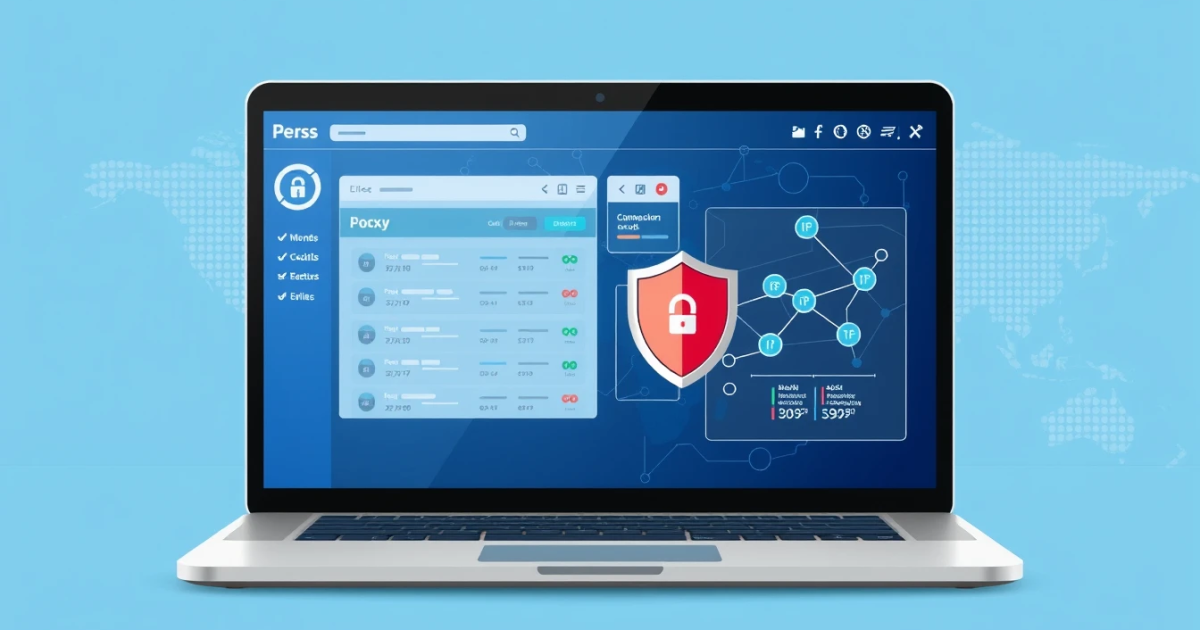
When you connect to the internet, your requests can often be traced back to your IP address. However, not everyone wants their real IP address to be exposed. This is where SOCKS5 proxy software comes into play. SOCKS5 proxies can mask your original IP address, providing you with privacy and increased security while browsing, conducting online activities, or using specific applications. This guide will help you understand what SOCKS5 proxies are, how they work, their practical applications, and much more.
What it Means / How It Works
SOCKS5 stands for "Socket Secure version 5." It is a network protocol that facilitates the transfer of data between a client (like your computer) and a server (like a website) through a proxy server. Unlike HTTP proxies that only work with web data, SOCKS5 can be used for all sorts of connections, including FTP and email. This makes SOCKS5 preferable for flexibility and versatility.
When you use SOCKS5 software, the process begins with the client routing your internet traffic to the SOCKS5 server. The server then sends your requests to the internet on your behalf, effectively hiding your actual IP address. This proxy also allows different authentication methods, providing even greater options for secure connections.
Practical Scenarios
SOCKS5 proxies can be particularly useful for the following scenarios:
- Data Scraping: When you need to collect data from various websites without revealing your identity.
- Bypassing Geo-restrictions: Access content that may be restricted in your area, like specific shows or websites.
- Gaming: Reduce latency and improve speeds while playing games by connecting to proxied servers.
- Secure Online Browsing: Protect your identity when surfing the web, especially on public Wi-Fi.
- P2P File Sharing: Enhance your security while sharing or downloading files from peer networks.
- Avoiding Bandwidth Throttling: Use SOCKS5 proxies to evade limitations imposed by ISPs while streaming or downloading.
- Ad verification: Ensure that your ads appear as intended by testing them from different locations.
- Enhanced Privacy: Keep your online activities anonymous and less traceable to your real identity.
- Accessing Restricted Resources: Connect to international services that limit access based on user location.
- More Anonymous Communication: Maintain privacy when using applications like messaging or VoIP tools.
Step-by-Step Setup of SOCKS5 Proxy Software
Getting started with SOCKS5 proxy software can be straightforward if you follow these steps:
- Go to a reliable SOCKS5 proxy provider. If you need assistance, [INTERNAL LINK: PinkProxies | anchor: visit PinkProxies | reason: reliable SOCKS5 proxy provider].
- Create an account to receive proxy details or login if you already have an account.
- Purchase the suitable SOCKS5 proxy plan according to your needs—these usually vary by speed, location options, and costs.
- Obtain your unique proxy credentials, including IP address, port number, username, and password.
- Open your intended application or device settings, such as your browser, software, or operating system.
- Locate the proxy settings option and enter your SOCKS5 proxy details: IP address, port number, and any required credentials.
- Save your settings and run a test to ensure everything is configured correctly.
- Monitor your connection for speed and reliability before fully engaging in tasks requiring the proxy.
Safety / Privacy / Legal Considerations
While SOCKS5 proxies can provide you with increased privacy and anonymity, it is crucial to be aware of the responsibilities this entails. Although using a SOCKS5 proxy helps obscure your online identity, it is not a foolproof solution.
Here are some key points to remember regarding safety, privacy, and legal aspects:
- Legal Compliance: Ensure that your use of proxies complies with local laws and the terms of service of the sites you access. Avoid illegal activities such as hacking or data scraping from websites that disallow it.
- Data Privacy: Understand that while your IP is masked, the proxy service might still log your activities. Choosing a service that is transparent about its data policies is essential.
- Security Risks: Not all SOCKS5 proxies are trustworthy. Be wary of free services that may expose you to issues such as malware or data theft. Reputable paid services usually offer better security features.
- Encryption Matters: While SOCKS5 proxies can offer an additional layer of privacy, they do not encrypt your traffic like VPNs do. Use extra measures if you are transmitting sensitive information.
Best Alternatives
If you're considering different solutions for proxy needs, exploring other types of proxy software is wise. For instance, HTTP and HTTPS proxies are suitable for simple web browsing tasks, while SOCKS5 offers greater versatility. Additionally, you might find services like Kevin's proxies, but dependable alternatives are essential—consider using [INTERNAL LINK: PinkProxies | anchor: PinkProxies | reason: offers a variety of proxy types].
Frequently Asked Questions
Q: What is a SOCKS5 proxy?
A: A SOCKS5 proxy is a network protocol that facilitates routing data between a client and server via a proxy server, allowing for greater privacy and flexibility compared to other proxy types.
Q: How does a SOCKS5 proxy differ from a VPN?
A: SOCKS5 serves as a proxy without encryption, focusing primarily on anonymizing your IP address. In contrast, a VPN encrypts all your data and provides more complete security.
Q: Can I use SOCKS5 proxies for torrenting?
A: Yes, SOCKS5 proxies are popular for torrenting because they mask your real IP address and add a layer of anonymity while downloading files.
Q: Do SOCKS5 proxies support authentication?
A: Yes, SOCKS5 proxies typically support user authentication, which can further secure your connection using username and password verification.
Q: Are SOCKS5 proxies safe to use for sensitive tasks?
A: While they provide a layer of anonymity, SOCKS5 proxies do not encrypt your data. For sensitive tasks, it is advisable to use them in conjunction with supplementary security mechanisms.
Q: What types of SOCKS5 proxies are best?
A: The best SOCKS5 proxies should have a reputation for reliability, high speeds, good customer support, and transparent data logging policies. Paid proxies typically offer better performance.
Q: Why might I get banned from a website while using a SOCKS5 proxy?
A: Websites may ban IP addresses associated with suspicious behavior. Rapid request rates or accessing geo-restricted sites can raise red flags triggering bans.
Q: Can you use SOCKS5 proxies on different operating systems?
A: Yes, SOCKS5 proxies are compatible with many operating systems, including Windows, macOS, and Linux, and can be configured in a variety of applications.
Q: How many connections can I make with a SOCKS5 proxy?
A: The number of connections depends on your SOCKS5 proxy plan and the capabilities of your provider. Some allow multiple concurrent connections.
Q: What should I do if my SOCKS5 proxy is not working?
A: Troubleshooting steps include checking your proxy settings, ensuring your payment is updated if applicable, testing connections to make sure the server is up, or consulting support.
Conclusion
SOCKS5 proxy software provides valuable solutions for privacy, anonymization, and geolocation management, making it suitable for various tasks from data gathering to secure browsing. Understanding how SOCKS5 works can enhance your online activities positively while masking your identity.
If you're considering taking advantage of SOCKS5 proxies, look into reliable options. Providers like PinkProxies offer fluid options for users looking to explore proxy settings that fit diverse browsing needs. Choose wisely to protect your online identity and maintain seamless interaction with digital tools.
